Set up free delivery
Set the amount at which the store pays for delivery on the buyer's behalf. At checkout, buyers see how much more is needed to reach the threshold.
Where: Settings → Delivery → required fulfillment method → General.
Set the threshold
- Enter an amount in “Free delivery from”, for example ₽4,990, and save. The currency appears next to the field: enter a number only.
- Check that the method is enabled for the required chain.
- Review the calculation rules and restrictions, then open checkout in the application.
The shared screenshots show the Russian interface.
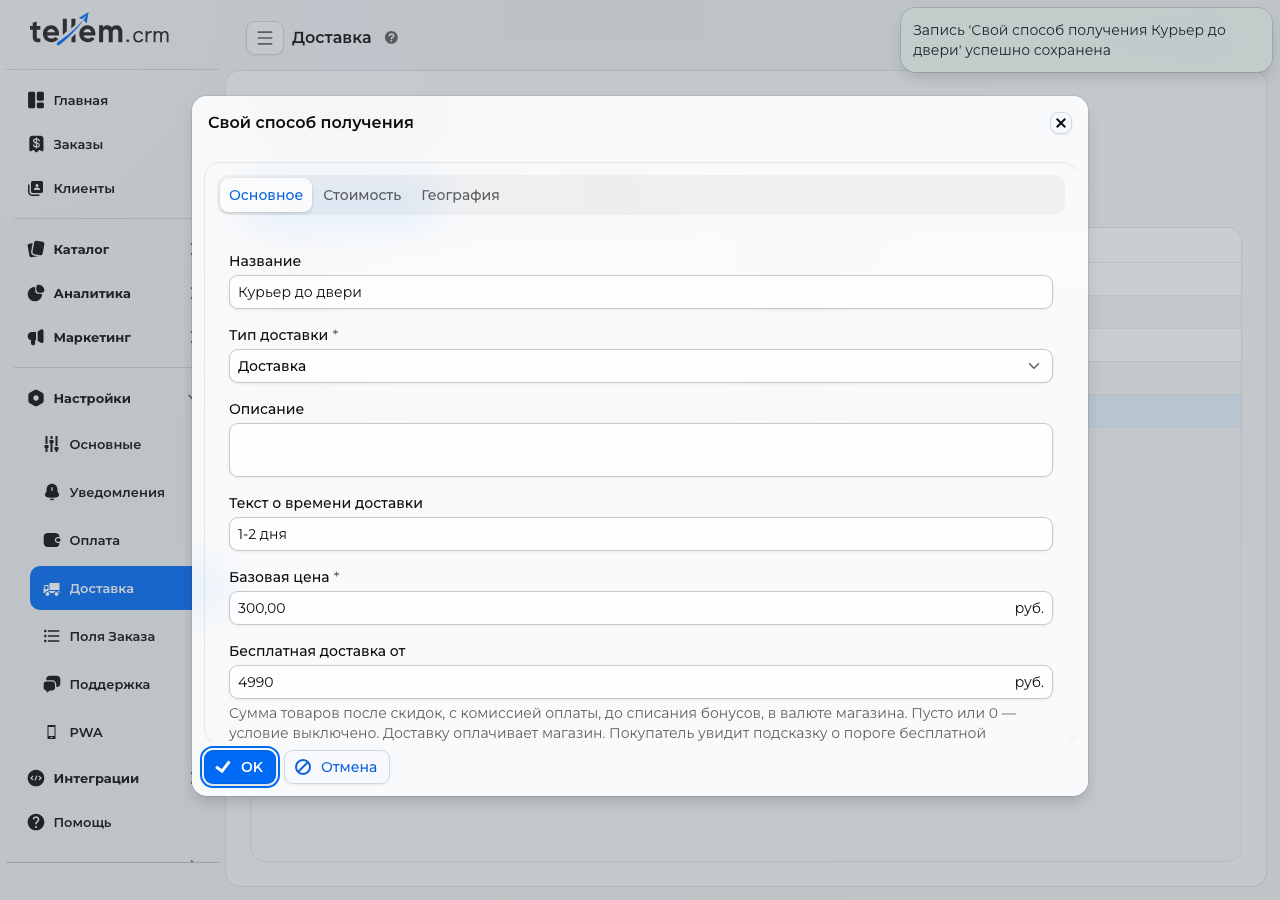
Each fulfillment method, your own or a carrier's, has its own threshold. An empty field or 0 disables the condition and hint. For free delivery, the store pays the carrier's charge, so account for this expense when choosing the amount.
Check in the application
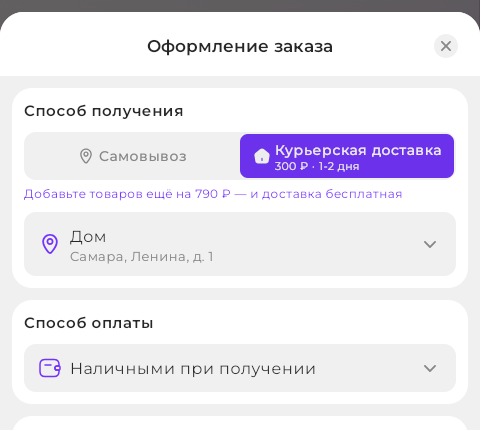
For example, with a ₽4,990 threshold and ₽4,200 in products, the hint suggests adding another ₽790:
Delivery becomes free when the threshold is reached. In this example, ₽5,250 in products meets the condition:
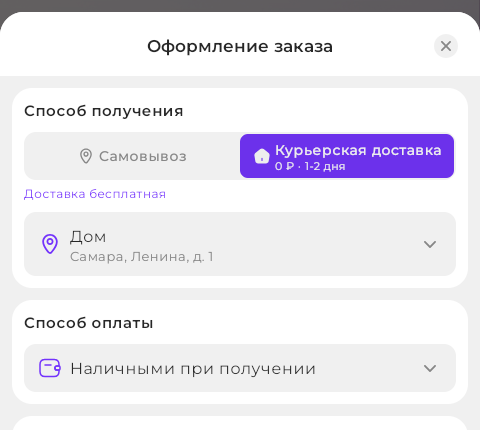
The hint updates when products, discounts, and payment methods change. Switching fulfillment methods uses that method's threshold. While the application recalculates the amount, buyers see the general condition “Free delivery on orders from …”.